
Fix Google Merchant Account Suspended for Misrepresentation
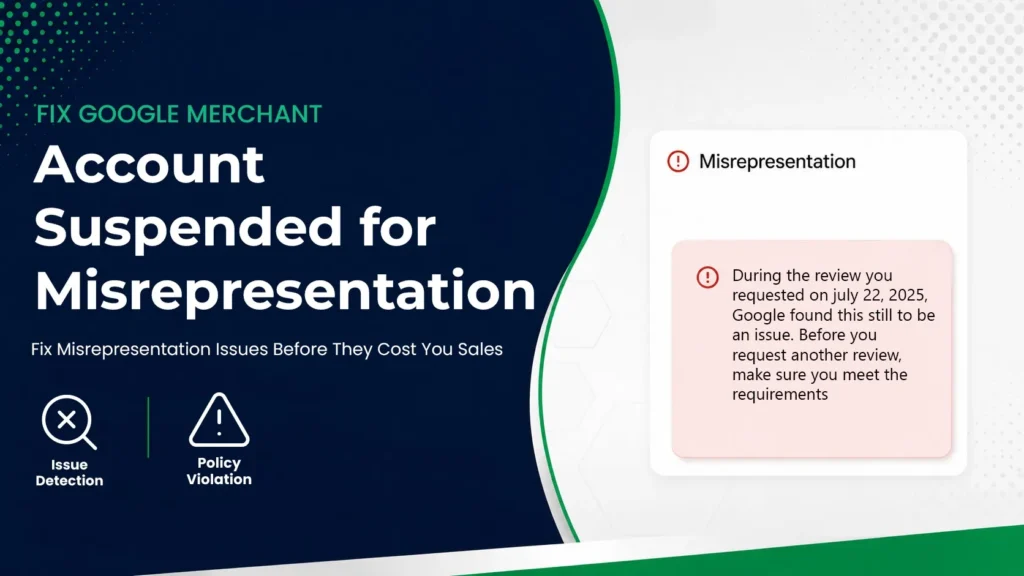
Fix Google Merchant Account Suspended for Misrepresentation Fix Google Merchant account suspended for misrepresentation? Discover proven steps to identify policy issues, fix errors, and regain approval quickly. Few events destabilize an ecommerce operation more abruptly than a Merchant Center suspension. One day your Shopping ads are active, impressions are compounding, and conversion data is flowing predictably through your dashboard. The next day, traffic declines without warning. Campaigns stop serving. Revenue projections contract. In Diagnostics, a red alert replaces performance metrics. A suspension is never arbitrary. It is triggered when Google’s automated systems – and in some cases manual reviewers – detect signals that suggest potential risk related to trust, transparency, or data accuracy. These signals may originate from pricing inconsistencies, unclear policies, unverifiable business information, or discrepancies between product feed data and landing pages. Even minor irregularities can accumulate into a larger pattern that prompts enforcement. Google’s ecosystem operates on consumer confidence. Every product listing displayed in Shopping results carries an implicit guarantee of reliability. When that reliability appears compromised, visibility is paused as a protective measure. The objective is not punishment; it is risk mitigation. For merchants, however, the impact is tangible. Paid acquisition channels stall. Customer acquisition costs fluctuate. Operational momentum slows. If Shopping ads represent a significant portion of revenue, the financial consequences can be substantial. To Fix Google Merchant Account Suspended status effectively, the response must be deliberate and structured. Impulsive changes- editing random product descriptions, adjusting prices without diagnosis, or repeatedly requesting reviews- often prolong the issue. A systematic audit, clear identification of root causes, and comprehensive corrections produce far better outcomes. Understanding Google’s Trust Framework Google evaluates merchants through a trust-based lens. Every product listing represents not just a product, but a business. The system analyzes: Even small discrepancies- like inconsistent contact information or delayed price updates—can reduce algorithmic confidence. Trust is cumulative. So is doubt. When signals compound, enforcement escalates. Common Reasons for Google Merchant Account Suspension Most suspensions stem from predictable structural weaknesses. Key Suspension Triggers Issue Category Example Why It Triggers Suspension Misrepresentation Exaggerated product guarantees Creates misleading expectations Price Mismatch Feed price ≠ Landing page price Suggests deceptive pricing Hidden Fees Extra checkout charges Violates transparency rules Missing Policies No refund or return details Signals incomplete business structure Business Info Conflict Different names/addresses Reduces credibility Technical Errors Broken links or 404 pages Undermines user trust Patterns matter more than isolated errors. When multiple inconsistencies appear together, account-level suspension becomes more likely. Suspension Impact on Ecommerce Operations The operational consequences are immediate: Beyond financial strain, brand visibility declines. Competitors absorb market share quickly. However, suspension is corrective—not permanent. When addressed properly, reinstatement is achievable. Step-by-Step Recovery Framework To systematically resolve the issue, follow a structured sequence. Recovery Process Overview Step Action Purpose 1 Review Merchant Center Diagnostics Identify root cause 2 Conduct Full Website Audit Detect compliance gaps 3 Correct Product Pages Remove misleading content 4 Synchronize Product Feed Align structured data 5 Verify Business Details Ensure consistency 6 Submit Reconsideration Request formal review Skipping steps increases the likelihood of rejection. Precision reduces repetition. Conducting a Comprehensive Website Audit A website audit must be systematic, not reactive. Review your store as if you were an external compliance reviewer. Examine three pillars: If any section feels vague, incomplete, or inconsistent, it requires correction. Verifying Contact and Business Information Your website must clearly display: These details must match your Merchant Center account exactly. Business Information Consistency Checklist Element Website Merchant Center Must Match Business Name ✔ ✔ Yes Address ✔ ✔ Yes Phone Number ✔ ✔ Yes Email ✔ ✔ Yes Test every contact method. Send an email. Call the number. Confirm the address is searchable and legitimate. Operational visibility builds credibility. Reviewing Policy Pages for Compliance Policy clarity is essential. Refund, return, shipping, and privacy policies must be easy to access and clearly written. Each policy should include: Avoid vague statements like “returns accepted when necessary.” Provide defined timeframes such as “30 days from delivery.” Policies should be accessible within one click from the homepage footer. Clarity communicates professionalism. Auditing Product Pages for Accuracy Every product page should clearly and accurately represent what you are selling. The information shown in your ads, product feed, and landing page must match without inconsistencies. Even small mismatches can create trust issues and trigger compliance flags. Check that: Remove exaggerated claims and avoid fake urgency tactics like reset countdown timers or misleading “low stock” messages. Clarity builds trust. And visible integrity across your product pages reduces the risk of suspension. Correcting Product Feed Discrepancies Your product feed must mirror your website precisely. Even minor differences can trigger automated flags. Feed Synchronization Requirements Attribute Feed Data Landing Page Data Must Be Identical Price Exact value Exact value Yes Currency Correct format Same format Yes Availability In stock / Out of stock Same status Yes Product Title Structured format Matching content Yes Automation tools help, but manual verification remains essential. Accuracy prevents recurrence. Removing Promotional Language from Feed Data Merchant Center prioritizes factual descriptors over marketing persuasion. Avoid: Instead, focus on: Structured data must be objective and precise. Technical Compliance and Infrastructure Stability Technical instability can quietly intensify compliance concerns. Even if your policies and product data are accurate, structural weaknesses in your website can signal risk to automated systems. Slow-loading pages, inconsistent URLs, and insecure connections all contribute to a perception of unreliability. Google evaluates not only what you say, but how your website functions. A stable, secure, and consistent technical foundation reinforces legitimacy. A fragile infrastructure does the opposite. Strong technical compliance ensures that both users and search engines experience your store without friction, confusion, or interruption. Domain and URL Consistency The domain verified inside Google Merchant Center must match your live storefront exactly. Any mismatch between the verified domain and the URLs used in your product feed can create ambiguity. Even minor inconsistencies—such as switching between www and non-www versions without proper configuration—can raise flags. Avoid unnecessary redirect chains. Multiple redirects before reaching a