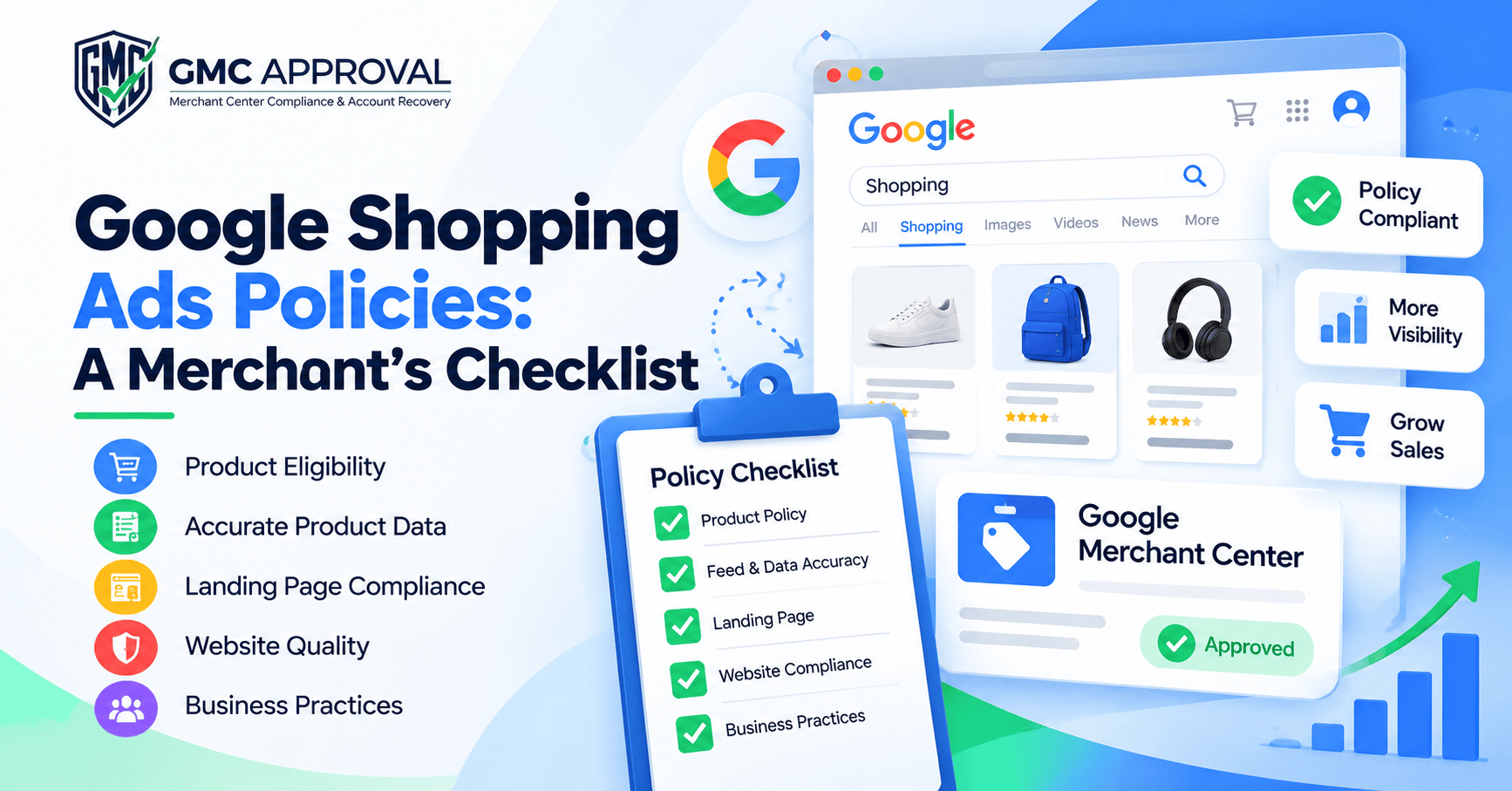
Google Shopping Ads Policies are the rules Google uses to decide which products, websites, and business practices can appear in Shopping ads and free listings. They cover what you sell, how you describe it, how your site works, and how you handle customer data.
Here is a problem many store owners run into. The product is fine. The feed looks clean. Yet the listing gets rejected anyway.
Most of the time, the cause sits outside the product. It might be a landing page that doesn’t match, a site that feels unfinished, or a business practice Google doesn’t accept. This guide shows you where to look, so you can find those problems before Google does.
Why These Policies Matter More Than Most Merchants Think
Google doesn’t judge your feed in isolation. It looks at the whole chain: the product, the listing, the page a shopper lands on, your website, and how you run your business.
If one link is weak, the whole chain can fail.
The cost of failing is real. Google can disapprove a single product, limit how often your listings show, or suspend your account. Repeated or serious violations lead to the harshest actions.
Fixing problems before launch is cheaper than fixing them after your traffic drops. Think of the policy check as part of your launch plan, not an afterthought.
The Four Areas Google Uses to Group Its Rules
Google sorts its Shopping requirements into four areas. Knowing them helps you diagnose a problem faster.
Area | What it covers | Typical example |
|---|---|---|
Prohibited content | Products and content that can’t be promoted at all | Counterfeit goods, weapons, fake documents |
Prohibited practices | Behavior that abuses the system or harms users | Trying to dodge review, careless handling of customer data |
Restricted content | Products allowed only under certain conditions | Alcohol, adult products, healthcare items, gambling |
Site requirements | Quality standards for your website and listings | Broken pages, wrong destination URLs, unfinished sites |
Let’s go through each one.
Prohibited Content: What You Can’t Promote
Some products never qualify. If an item falls here, no feed fix will save it.
Counterfeit goods
Fake branded products are banned. That includes anything that copies a brand’s name or logo to look genuine. If you resell branded items, make sure they are authentic and your site describes them honestly.
Even your wording can trigger a counterfeit flag. A genuine product can get caught if its title or page leans on a famous name. I walk through a real example of this further down.
Dangerous products
Google blocks products that can hurt people. Examples include weapons, ammunition, explosives, fireworks, recreational drugs, and tobacco. The ban also covers content that helps people cause harm.
Products that support dishonest behavior
Fake IDs, hacking tools, and cheating services are not allowed. The same goes for anything built to help someone deceive others.
Harmful or shocking content
Pages that promote bullying, hate, graphic violence, animal cruelty, self-harm, or extortion also break the rules. Remember that Google reviews the page behind the click, not only the product.
Prohibited Practices: How You Run Your Store
You can sell an allowed product and still break the rules through your behavior.
Don’t try to game the system
Google doesn’t accept malicious content, thin sites built only to grab traffic, or attempts to skip its review process. If you had a policy problem before, don’t try to hide it. Fix it. Hiding a problem and solving it are not the same thing, and Google treats them very differently.
Protect customer data
Your store may collect names, emails, addresses, phone numbers, and payment details. Google expects you to keep that data safe. Sensitive details, such as card numbers, passwords, and government ID numbers, should never travel over an insecure connection. A secure site (HTTPS) is the basic minimum.
Don’t mislead shoppers
Transparency sits at the heart of these rules. Shoppers should know what they are getting before they commit. Google rejects listings that misrepresent a business or product, and it dislikes flows that push people toward a purchase without key information.
Run through this short list for every product:
The title matches the product.
The description is accurate.
The images show what the buyer will actually receive.
The price is clear.
The landing page matches the listing.
Every claim can be backed up.
A shopper who feels tricked is bad for Google too. That is why this area gets close attention.
Restricted Content: Allowed, With Conditions
“Restricted” does not mean “banned.” It means extra rules apply. Whether your product can show also depends on location, audience, and ad format.
Adult products: You must follow local laws and can’t target minors.
Alcohol: Local laws apply, you can’t aim at people under the legal drinking age, and Google limits how alcohol can be presented.
Healthcare: This covers prescription drugs, over-the-counter medicine, unapproved supplements, and some pregnancy and fertility products. Rules differ by country, and some ads need Google’s approval first.
Gambling: Rules change by market and by the exact content.
If you sell in any of these areas, don’t assume the normal rules are enough. Read the category rules for each country you target.
Site Requirements: Your Website Is Part of the Ad
When a shopper clicks, your website takes over. If it feels broken, the listing suffers.
Google looks for pages that work, load properly, and make sense. It flags problems like broken sites, parked domains, pages under construction, and poor browsing experiences. It also checks that your product URLs lead to the right product.
Before you submit a feed, do this yourself:
Click every product URL.
Confirm the page shows the product in the listing.
Check that the price and availability match.
Test the page on a phone and in more than one browser.
This takes an afternoon. It can save you weeks of disapprovals.
Google Free Listing: Free Doesn’t Mean Rule-Free
A Google Free Listing lets eligible products appear across Google’s shopping surfaces without paying for ads. (Google’s own help pages use the plural, “free listings.” Both forms point to the same thing.)
The appeal is obvious. Free exposure is hard to ignore.
But the same standards apply. Your products must be allowed, your data must be accurate, and your site must give shoppers a decent experience. Merchants who chase free visibility while ignoring the wider rules often end up with disapprovals anyway.
The smarter approach is to treat free listings and paid Shopping ads as one compliance project. Do the work once, and it covers both.
How Google Checks Your Listings
Google uses automated systems trained on past human decisions. Harder or more serious cases get extra review from people.
This matters for one reason. You can’t assume that changing one field will clear a bigger issue. A review may look at how the product, the listing, the landing page, the site, and your business practices fit together. Random edits rarely help. A structured review does.
What To Do When a Product Is Disapproved
Don’t panic. Don’t guess either. Follow these steps.
Read the exact reason. Start with the policy message in Merchant Center.
Check the product data. Make sure it matches what you really sell.
Open the landing page. Confirm it works and matches the listing.
Look at the wider site. If the problem seems bigger than one product, review the relevant pages.
Fix the root cause. Make a real correction. Don’t look for a workaround.
Request a review. Google lets you fix disapproved listings and appeal certain decisions, including account suspensions.
Not every disapproval has the same cause, so don’t copy a fix from a forum without checking your own reason first.
A Real Client Case: Brand and Celebrity Names Behind a Counterfeit Flag
This case comes from a client project. I’ve kept the details general to protect the client’s privacy.
A client came to me with a Merchant Center account that had been flagged for misrepresentation and counterfeit issues. The products were legitimate. The feed was well built. Nothing looked wrong at first glance.
The problem was the wording. Popular brand names appeared in the product data and on the website. Some content also used celebrity names. To an automated system, that can look like a store borrowing a famous name to sell products. That is exactly the pattern counterfeit checks are built to catch.
Here is what I did:
Searched for risky words. I looked through the product data and the store for brand names and celebrity names that didn’t belong.
Cleaned the product feed. I removed those names from the Merchant Center product data.
Cleaned the website. I removed the same names from the store itself, including product pages and descriptions.
Checked that both matched. The feed and the site now told the same story.
Submitted an appeal. I appealed the misrepresentation and counterfeit issues in Merchant Center. [Optional: add how long the review took.]
Google approved the account.
The second step alone would not have been enough. Google looks at the feed and the website together. If the names had stayed on the site, the same signals would still have been there. Cleaning both sides is what removed the problem at the root.
The lesson: Check the words, not only the products. Brand names and celebrity names in titles, descriptions, or page copy can raise a counterfeit flag, even when your products are genuine. If you do sell real branded items, use the brand name only where it accurately describes what the buyer gets. Never use a famous name just to attract clicks.
This is one client’s outcome. Every account is different, and results depend on the exact policy issue and how well the fix is done.
A Practical Compliance Checklist
Use this before every launch:
Is the product allowed?
Is it genuine?
Is the product data accurate?
Are there brand or celebrity names that don’t truly describe the product?
Does the product page work?
Does the landing page match the listing?
Does the whole site function well?
Is customer data handled securely?
Are your claims truthful?
Does your product fall into a restricted category?
Do you follow the laws in each market you target?
Are you playing fair with Google’s review process?
This list is a starting point. It doesn’t replace Google’s current documentation.
Should You Do This Yourself or Get an Audit?
If you sell a few simple products, a careful self-check may be enough. Use the checklist above and compare your pages against Google’s official help pages.
An outside review can make sense when:
You have a large catalog.
You sell in a restricted category.
You’ve been suspended before.
Disapprovals keep returning after you fix them.
When you compare audit providers, ask how they diagnose the root cause. Be wary of anyone who promises a quick trick to bypass review. That approach can make a problem worse.
What a Trustworthy Store Looks Like
Policy compliance is only one part of the picture. Shoppers and Google both prefer stores that are easy to trust.
Strong stores usually show:
Clear business details
Accurate product descriptions and specifications
Real customer support contact information
A secure checkout
Consistent information across every page
These signals help buyers feel safe. They also match what Google is trying to protect: a Shopping experience people can rely on.
Frequently Asked Questions
What are Google Shopping Ads Policies?
They are Google’s rules for products, listings, business practices, restricted categories, and website quality in Shopping. They apply to paid ads and free listings.
Does a Google Free Listing need to follow these policies?
Yes. Free visibility still requires compliance. Your products, data, and website must meet Google’s standards.
Why would Google reject a Shopping listing?
The cause can be the product, the listing text, a restricted category, a business practice, the landing page, or the quality of your site. Check the reason shown in Merchant Center first.
Can brand or celebrity names cause a disapproval?
Yes. Popular brand names or celebrity names in your titles, descriptions, or pages can trigger counterfeit or misrepresentation flags, even when the product is genuine. Remove any name that doesn’t accurately describe the item, in both your feed and your website, before you appeal.
Can Google suspend my Merchant Center account?
Yes. Repeated or serious violations can lead to suspension. You can appeal certain suspension decisions after you fix the problem.
Are restricted products always banned?
No. Restricted products can run under certain conditions, and the rules depend on the product, location, and audience. Alcohol, for example, has to follow local laws and can’t target people below the legal drinking age.
Does Google review listings with software or people?
Both. Automated systems handle most checks. Complex or serious cases get extra human review.
Can I appeal a policy decision?
Yes, in certain cases. Google lets merchants fix disapproved listings and appeal some decisions, including account suspensions.
What should I check before I submit products?
Start with the product itself, then the product data, the landing page, site quality, customer data handling, restricted categories, and the laws in your target markets.
Can a good product still get disapproved?
Yes. A weak landing page, a wrong URL, or a misleading claim can cause a rejection even when the product is allowed.
Is a Google Free Listing really free?
There is no ad cost, but there is still work. You need accurate data, a working site, and policy compliance.
Final Thoughts
Google Shopping Ads Policies cover far more than your product list. They cover your data, your pages, your site, and the way you do business.
Check each link in the chain before you launch. Look closely at your wording, too. Fix real problems at the root, in the feed and on the site. Treat free listings with the same care as paid ads.
Do that, and you’ll avoid most of the headaches that catch other merchants off guard.
Note: Google’s policies can change, and rules vary by product, country, and ad format. Always check Google’s latest official documentation before making a compliance decision. This article is educational and is not legal advice.
Frequently asked questions
What are Google Shopping Ads Policies?
They are Google’s rules for products, listings, business practices, restricted categories, and website quality in Shopping. They apply to both paid ads and free listings.
Why would Google reject a Shopping listing?
A listing can be rejected because of the product, inaccurate data, restricted content, a weak landing page, or website quality issues. Always check the reason shown in Merchant Center first.
Can Google suspend my Merchant Center account?
Yes. Repeated or serious policy violations can lead to suspension. After fixing the root cause, you may be able to request a review or appeal the decision.
Need help with your Merchant Center account?
Send us your case and we will tell you the cause and the fastest fix.